


Is the Aoocci CarPlay Screen Worth It? An Honest Review for Real Riders
- MTTS
- 12 hours ago
- 3 min read
Let’s be honest: mounting a £1,200 iPhone to your handlebars is a recipe for a heart attack. Between the road salt, the engine vibrations that rattle your camera sensors to death and the constant fear of a "snatch-and-grab" at a red light, it’s a lot of risk just to see Google Maps.
I’ve spent years looking for a better back-up plan for my Garmin. A way to navigate without risking my primary phone and that’s what led me to the Aoocci CarPlay device. At around £82, it’s a fraction of the cost of a new phone, but can a "budget" unit actually survive a two-week tour in the sun and rain?
We aren’t here to give you a polished "influencer" sales pitch. We’re riders who need gear that actually works when we’re leading tours through Spain or navigating the daily commute. In this post, I’m breaking down my honest experience with the Aoocci unit—from the "brilliant" tyre pressure monitoring to the one specific mapping quirk that might be a dealbreaker for some.
Top Tips for Your Motorcycle Tech Setup
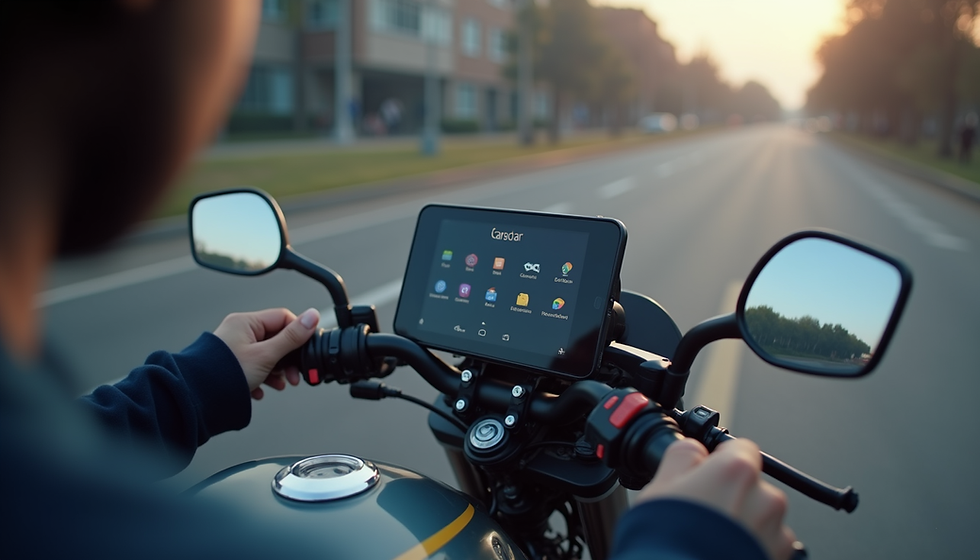
Using a dedicated CarPlay screen isn't just about having a bigger map; it’s about making your ride safer and more efficient. Here are the standout features that make the Aoocci C3 Plus a game-changer:
Tyre Pressure Monitoring (TPMS) is a Lifesaver: Unlike basic satnavs, this unit comes with front and rear tyre pressure sensors. You can set custom alarms for high or low pressure, so if you’re losing air mid-ride, you’ll know before it becomes a dangerous situation.
Visibility in High Noon Sun: The screen is surprisingly bright (roughly 800 nits), making it clear and readable even in direct Spanish sunshine. There is also a detachable sun visor included in some versions, to cut down on glare during those particularly bright morning or evening rides.
Keep Your Gloves On: The touchscreen is highly responsive and specifically designed for glove-compatible use. You won't have to fumble around at a red light just to skip a track on Spotify or adjust your route.
Hands-Free Control: Leverage the power of Siri or Google Assistant. By using the microphone in your helmet, you can dictate messages or change your destination via voice command, keeping your hands exactly where they belong - on the bars.
Bulletproof Durability: The unit is IP67 waterproof and dustproof, meaning it’s built to survive everything from a torrential downpour to the dust of a green lane. It also features built-in vibration dampening to protect its internal tech from engine rattle.
Flexible Power Options: You can keep it simple by plugging into an existing USB port for a "plug and play" setup, or hardwire it directly to your battery for a cleaner look that powers on automatically with your ignition.
The Reality Check: One Limitation to Watch Out For
No budget device is perfect and if you’re a user of MyRoute-app (MRA), as we are, there is one thing you need to know.
While the Aoocci screen mirrors your phone flawlessly, it does have a quirk when it comes to custom route planning. High-end dedicated units like a Garmin Zumo allow you to see custom "pins" or specific notes you’ve dropped onto a map (like "Best coffee shop on the left"). [1]
Currently, when using MRA through CarPlay on this device, those custom pins don’t always show up in the same way they do on a desktop or a dedicated sat-nav. For 99% of riders who just need a reliable line to follow on a map, this isn't an issue. But, if you are a "professional tour guide" who relies on those tiny custom details, or you've purchased a self-guided tour from us, you might find yourself reaching for your phone to double-check the specifics.
EDIT... MRA have had a recent update and you should now be able to see the custom pin information
Ride cool. Ride safe. Ride Spain.
Use this link for 22% off or use MTTS22 at the checkout
Comments